
WordPress core
Updated on releaseSecurity releases matter most, so we apply them promptly. We apply major versions after a short wait, once plugin authors have caught up.

Website Maintenance
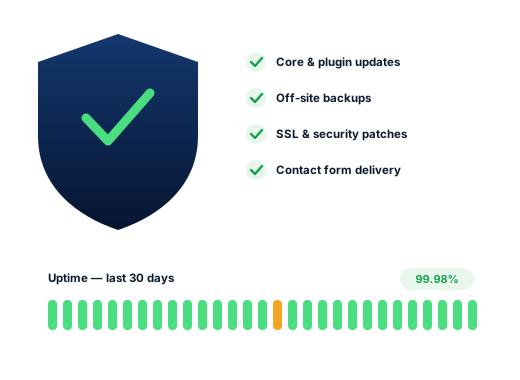
Website maintenance covers updates, backups, security and form checks, so the site that brings in your leads is still working on Monday morning.
A WordPress site is a stack of software from different authors: the core, a theme, a dozen plugins, all updated on their own schedules. Leave it alone for six months and something stops fitting. Usually nothing dramatic happens; instead, the contact form just stops sending, or the booking button does nothing on phones.
The owner finds out weeks later, when someone mentions they tried to get in touch. Website maintenance exists to close that gap: keep everything current, keep copies, and check the parts that earn money.
Search demand
In Canadian suggestion data the planned searches are about cost, while the rest are things going wrong.
A broken form, a failed update, a hacked site, an outage: people make each of those searches after the damage. Yet all four are cheaper to prevent than to repair. That is the whole case for maintenance, and it is why the cost questions at the top of the list are the right ones to be asking.
What actually goes wrong
None of these show an error on the home page, which is why they last so long.
The page says “thank you” and the email never reaches you, usually because the host’s mail is being rejected as spam. The fix is sending through a proper mail service, and then testing it regularly.
A plugin update changes something the theme relied on. So on a managed site we take a backup first, apply the updates, and then check the key pages afterwards.
Browsers then show a full-screen security warning, so visitors leave at once and rankings follow. For that reason, renewal should be automatic and monitored.
An out-of-date plugin lets someone add spam pages or redirects that only show to search visitors. You see a normal site, while Google sees something else and may flag it.
The renewal notice went to an old email address or a former web designer. Then everything goes offline, including your email. That is why we check who holds the domain and when it renews.
What needs looking after
Each has its own updates and also its own ways to fail.
Security releases matter most, so we apply them promptly. We apply major versions after a short wait, once plugin authors have caught up.
The most common source of both security holes and breakages. We remove unused plugins altogether, because code that is not installed cannot be attacked.
The server software also ages. Running a PHP version below the versions WordPress recommends is slower and less safe, and hosts eventually force the change whether the site is ready or not.
Small, rarely touched and catastrophic when they lapse. Therefore we keep a note of where each is held and when it expires.
The work
WordPress core, theme and plugins kept current, with a backup taken before each round and the main pages checked after.
Regular copies of files and database stored away from the hosting account, so a problem at the host does not take the backup with it.
Malware scanning, login protection, removal of unused plugins and accounts, and prompt patching when a vulnerability is announced.
The site is checked around the clock and an alert goes to a person when it stops responding.
Test submissions through your contact forms to confirm the message actually arrives in your inbox.
New hours, a staff change, a holiday notice or a swapped photo: send them over and they are done.
Done carefully
These are the limits we work inside by default, whether or not anyone asks.
We look after your website, but we do not take custody of it.
You remain the owner of the hosting account, the domain and an administrator login. Meanwhile, we work through our own account, which you can remove at any time. If we find a problem we cannot fix within the plan, you hear what it is and what it would cost before we do anything.
Ask us about your business
How we work
Four steps, in order. You always know which one we are on and what it is for.
We check your site, your Google Business Profile and where you rank from several points across Scarborough, then show you the gaps.
We choose the searches worth winning in your neighbourhoods and assign each one to a single page, so no two pages compete.
Profile work, technical fixes, content and citations, done in order of impact so the biggest gains land first.
A monthly report on rankings, traffic, calls and forms, with next month’s plan written in plain English.
Questions
It depends on the size of the site and how it was built. For example, a small WordPress site on a clean theme needs much less than a large one with thirty plugins. We quote a flat monthly figure in Canadian dollars after looking at it.
If the site brings you customers, yes, in the same way a van needs servicing. If it is a one-page placeholder nobody visits, an annual check may be enough, and we will say so.
Usually. We start with a review to see what it runs on and whether anything is already out of date or unsafe.
Yes. Cleanup is a separate one-time job: remove the malicious code, close the hole it came through, and ask Google to re-review the site if it was flagged. Afterwards, regular maintenance keeps it from recurring.
Hosting is a separate service paid to your host. We can recommend one and manage the account with you, but it stays in your name.
You can, and for security releases it is sensible. However, the risk is an automatic update breaking the site while nobody is watching, which is the situation maintenance is meant to prevent.
Works best alongside
Local SEO, Google Maps, Google Ads, web design, maintenance and speed. Each one also makes the others more effective.
See all servicesFurther reading
Practical guides on the same subject, written for Scarborough business owners.
Each one is a separate piece of work. Most clients start with one.
Every trade searches differently, so each page is researched on its own.
A free audit shows where you rank across the neighbourhoods you serve, who is ahead of you, and what to fix first.
Get your free SEO audit